
BellHawk Online
Powerful, pay as you go, easy to use barcode tracking
Materials Tracking
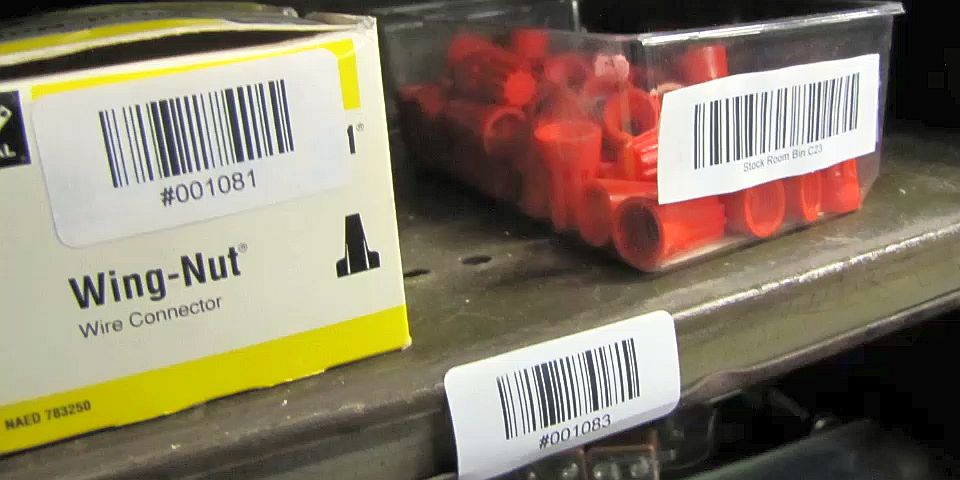 The BellHawk Online Materials Tracking System is Cloud based system that enables materials to be tracked anywhere there is an Internet connection available, whether this is within the four walls of facilities or at field sites.
The BellHawk Online Simple Materials Tracking System (SMTS) has three main purposes:
- Simple barcode tracking of materials as they move from location to location
- Tracking work-in-process materials as they move from work center to work center
- Tracking assets such as tools and furniture.
SMTS is based on the use of "License-Plate" tracking methods whereby clients place a unique tracking barcode on each part, assembly, or container they wish to track, from a preprinted roll of unique barcodes. SMTS then uses the scanning of these barcodes to track the movement of these parts, assemblies, or containers from location to location.
Locations where containers are placed can be recorded by first scanning the barcode on a container. Then the location where the container is placed is selected from a drop-down list, or scanned the from a unique location barcode placed on each shelf or rack or floor location marker post.
When containers of material are first entered into inventory, the user attaches a tracking barcode, scans the tracking barcode, selects the part number, and enters the quantity in the container. They may also enter application specific data, such as the lot or serial number for the material, which customer these materials belong to or are intended for, and the work-order-number.
Movement from location to location is then recorded by scanning the tracking barcode on the container and selecting or scanning the location it is moved to.
Materials can be withdrawn or shipped from inventory by scanning the barcode on the container and then recording whether the whole container or just a quantity of materials is withdrawn or shipped.
While scanning is being performed, BellHawk is tracking the location of each container, as well as a history of when and where it was moved to and by whom. This can then be used for Excel exports to report on:
- Current location of each container and its parameters
- The total quantities of each part in stock
- How long each part was at each location.